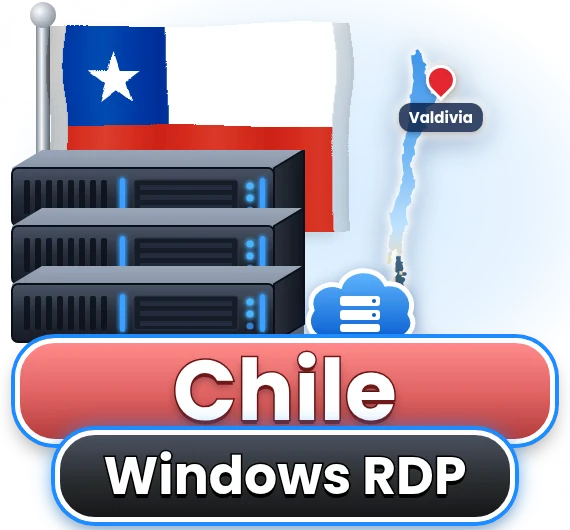
Why is the Chilean data centre in Valdivia?
Valdivia hosts a Tier III data centre designed for maximum efficiency, with good connectivity to the rest of Chile. While Santiago is the country's largest city, network routes within Chile are efficient, so users in the capital and elsewhere enjoy low latency to Valdivia. The location also benefits from southern Chile's cooler climate, which aids efficient cooling. For users, what matters most is the Chilean IP and reliable infrastructure, both of which Valdivia provides. Valdivia's university community also gives the region a strong technical workforce.
Can I use SII and ClaveÚnica through the desktop?
Yes. The SII portal, its free electronic invoicing system for small businesses, and every government service that uses ClaveÚnica run in a browser on your Valdivia desktop. The Chilean IP makes sessions look local, which helps Chileans abroad complete the annual Operación Renta in April and businesses issue boletas and facturas while travelling. Keep your ClaveÚnica and SII passwords in a password manager rather than in a document on the desktop, and enable Windows updates. If a service requires a digital certificate for advanced invoicing, you can install it with the root access included on every plan.
Why does the Chile range include so much storage?
Chilean businesses must retain electronic invoices and accounting records for years, and many users work with large files. That is why disk sizes here start at a roomy 100 GB and climb to 400 GB. This lets you keep archives, documents and applications on the desktop without constantly moving files to external storage. We still recommend backups in a separate location for important data. SII rules require businesses to keep tax records for six years, so space adds up. Photographers and video editors also appreciate the space.
Can I install Linux instead of Windows?
Yes. Unlike many RDP locations, the Chilean platform supports custom Linux installations, and your root access lets you modify the operating system freely. Developers use this to run Linux toolchains or lightweight services, while researchers at Valdivia's universities sometimes prefer Linux for data processing. Ask our team for the distribution you want, and remember that reinstalling replaces the system disk, so copy important files elsewhere first. You keep your Chilean IP and plan resources, and you can return to Windows Server 2019, Windows 10 or Windows 11 whenever your needs change.
Which plan suits a Chilean SME?
For a small business using accounting software, invoicing tools and Office, the six-core plan with 4 to 6 GB of memory and 150 to 200 GB of storage is a good starting point. If several employees use the desktop simultaneously, choose the eight- or ten-core plan with Windows Server and appropriate licensing. Moving up a plan later keeps your data and address. CyberDay season is a good moment to scale up temporarily. Defontana and Nubox accounting run in the browser without issues.
Which cryptocurrencies does the Chile range accept?
Bitcoin (BTC), Tether (USDT) and Monero (XMR) are all accepted for Chilean desktops, alongside cards and PayPal. USDT is popular with Chilean freelancers paid by foreign clients, while Monero suits customers who value transaction privacy. Invoices are issued in US dollars, and our billing system shows the exact amount to send in your chosen coin at the time of payment. Crypto payments are confirmed automatically once the network registers them, so there is no delay in activating or renewing your desktop. As always, use of the service must comply with Chilean law and our terms.
Is the transfer allowance sufficient for my work?
For most users, comfortably so. The entry plan includes 800 GB a month and the largest plans 3,200 GB, while a remote desktop used for banking, invoicing, office work and browsing typically consumes only a small fraction of that. Data-heavy tasks such as uploading large datasets for research, syncing big cloud folders or downloading video files use more, which is why the larger plans include bigger allowances alongside more storage. Should you come close to your limit, you will hear from us first so you can decide whether to optimise or move up a plan.
How quickly will my Chilean desktop be ready?
Provisioning is quick once payment clears; the Chilean IP, login details and first-boot instructions are sent by email. Because the Valdivia range has just joined our catalogue, write to our team before ordering so we can confirm capacity and note whether you want Windows Server 2019, Windows 10, Windows 11 or a Linux distribution. After connecting, set your own password, apply updates and install your invoicing or accounting software. Businesses moving years of electronic invoice archives onto the desktop can take advantage of the large disk and gigabit port to copy everything across in one session.